Case Study - Tarry: a work day that writes itself down
A native Android app that quietly records where you are during work hours, splits the day into on-site time and travel, and lets you label jobs later. No account, no server, and the location history never leaves the phone.
- Date
- Site
- www.tarry.me/
- Github
- github.com/KoJaco/tarry
- Roles
- Designer,
- Developer,
- Founder
- Tech
- Kotlin,
- Jetpack Compose,
- Room,
- WorkManager,
- Hilt,
- MapLibre,
- Google Play Billing
The Challenge
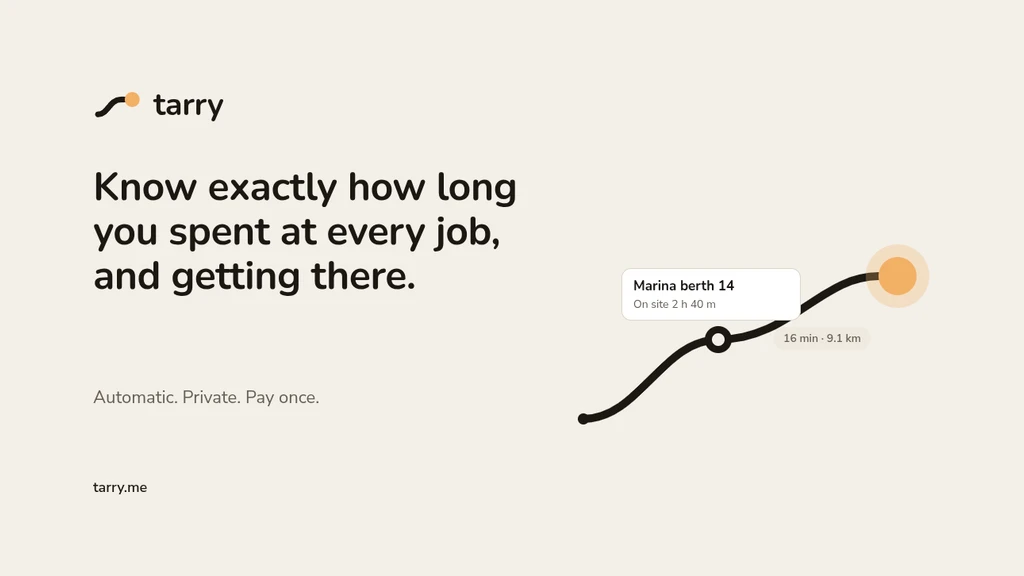
As a marine electrician I'm on a lot of different sites in a day: a boat at one marina, a supplier, another boat, back to the workshop. At the end of the week I had to work out how long I'd spent on each job (and the travel between them) from memory, a few texts and my camera roll. It was slow, and it was never quite right, which means either under-billing or a client asking where an hour came from.
The location data to answer this was already on my phone. The existing time trackers either wanted me to tap in and out of every job (I won't remember to, standing on a pontoon), or they were employer tracking tools that send everything to a server. I wanted something that ran in the background during work hours, never asked me anything in the moment, and kept the location history on my own phone.
My Approach
I wrote the principles down before writing any code, and they ended up deciding most of the arguments later: set and forget (paint your hours once and nothing is needed day to day), label later and never in the moment, private by default, and never fail silently.
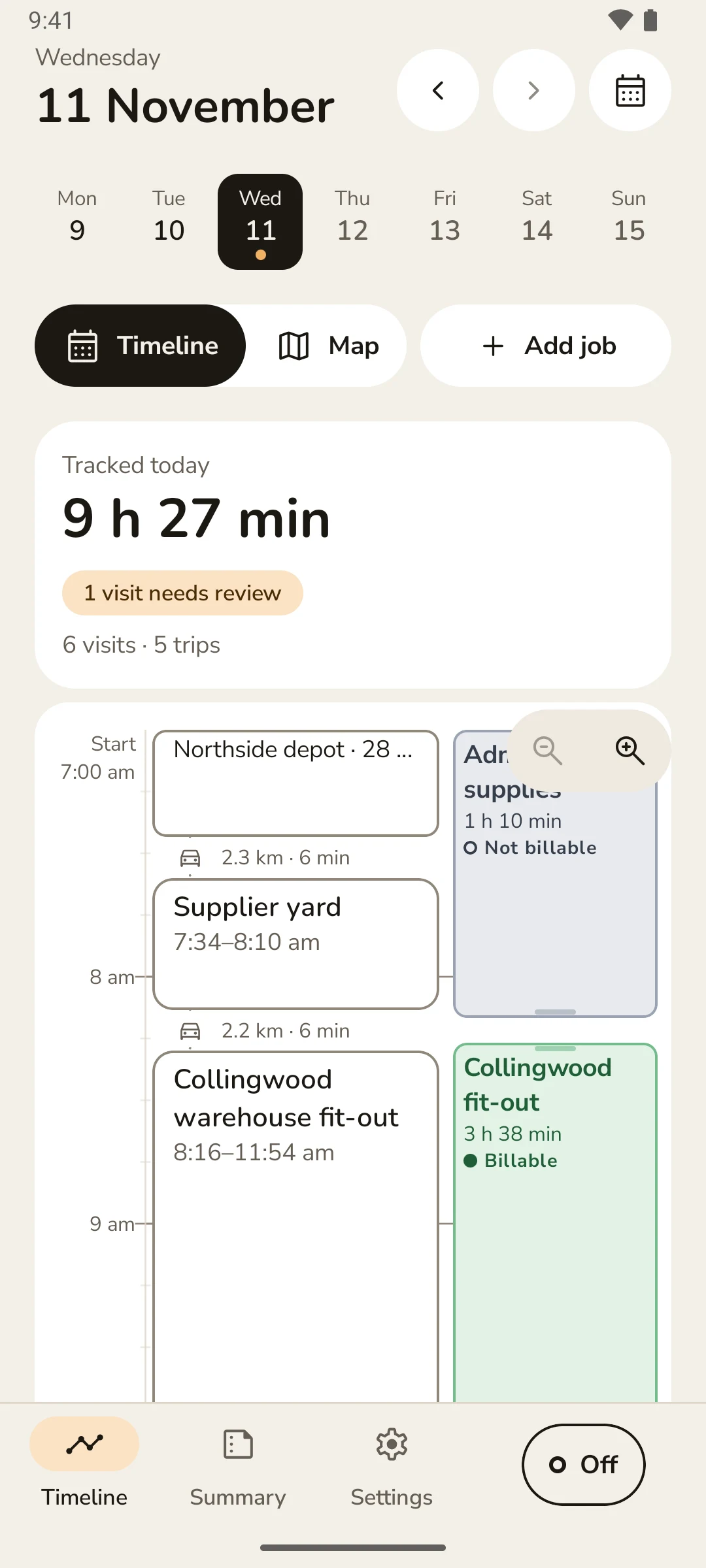
You paint your work week on a grid. During those hours Tarry records location, and afterwards it turns the raw pings into a timeline of visits (time on site) and trips (travel). Places you go back to are recognised, so the second time you're at the same marina it already knows the name. You add jobs to the timeline as time ranges whenever you get around to it, which matches how a day actually goes (one job can span three visits, or one visit can have two jobs in it).
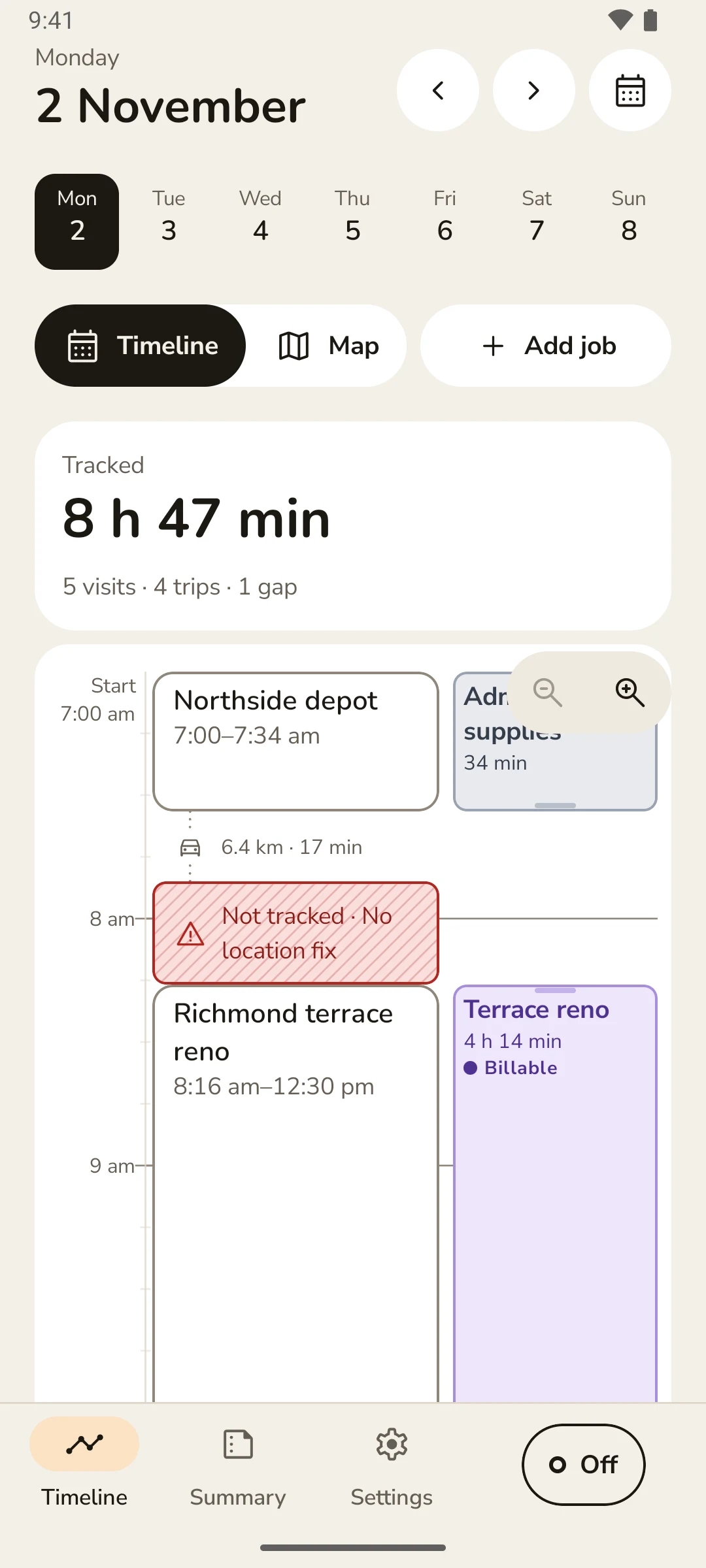
From there it's a weekly summary by job with rounding rules, plus CSV and PDF export for invoicing. Capture and processing are kept separate on purpose. The tracking service only ever appends raw pings, and a batch job turns them into visits and trips. Raw pings are the source of truth, so the timeline can always be rebuilt (except anything I've edited by hand, which is frozen).
Getting Android to wake up on time
This was my first native Android app (I'm normally a web developer), and the hardest part had nothing to do with the UI. Tracking has to start at 7 am while the app is dead and the phone is sitting in a pocket in deep sleep. Modern Android is very good at stopping apps from doing exactly that.
Before building the scheduler I ran a throwaway spike on my own phone to find out what actually works. I killed the app, forced the phone into deep sleep, then fired alarms with different permissions granted or revoked. Exact alarms with background location granted worked, even in deep sleep, with a GPS fix in about 2 seconds. An inexact alarm couldn't start the location service at all, and while unplugged it was sometimes held back indefinitely. Without background location, the service start threw a security exception.
So both permissions became hard requirements rather than optional extras. Each failure is caught, recorded and shown to the user instead of quietly not tracking. It also shaped the onboarding: Google Play is strict about background location, so the app explains in plain words what it collects, when and why, before the system permission screen ever appears.
Turning GPS noise into a day
Raw GPS is messy. You get jitter while standing still, a 100 m jump when you walk inside, and gaps in signal under a steel roof. The segmentation that turns pings into visits and trips lives in its own pure Kotlin module with no Android code in it, so it can be tested like any other function. A stay grows around an accuracy-weighted centre within 60 m and has to last at least 5 minutes. Short signal gaps are bridged if you're in the same spot on both sides, and every visit is matched to a known place or becomes a new one.
I tested it against generated GPS traces (seeded, so every run is the same) and golden cases taken from my own days. One of them is a marina with two boats about 40 m apart, where shrinking the place radius has to split them into two places. My real location exports never go into the repo, since it's public. Behaviour I saw in them gets reproduced with synthetic traces instead.
Real days kept me honest. On my second test day at a marina, the battery-friendly location settings were only giving me 50 to 100 m network fixes, and the segmentation fell apart. So GPS stayed on at full accuracy until I had measurements. Only later did I add battery modes, where the default keeps precise GPS while you're travelling and mainly saves power once you're stopped at a site.
Never failing silently
The worst outcome for an app like this isn't a crash. It's a day that looks complete but isn't. One of my early test days had missing time that the app didn't flag, and I'd only have noticed when the invoice came up short.
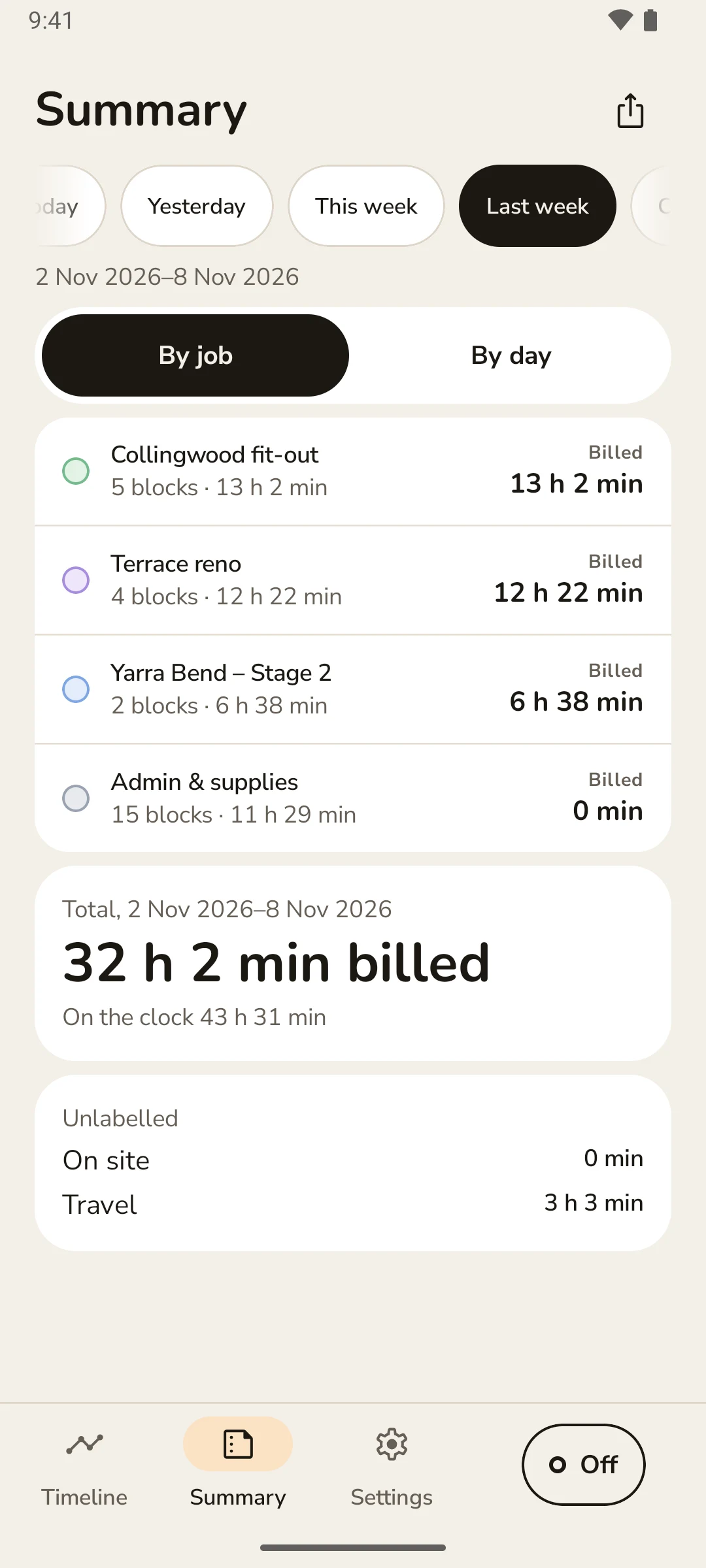
So any state where tracking should be running but isn't becomes a visible warning and a Gap in the timeline: permission revoked, location turned off, the phone killing the service, or no GPS fix. A gap shows on the day as a striped 'Not tracked' block with a reason, and a Tracking health screen lists every check (location access, exact alarms, battery restrictions and so on) with a way to fix each one.
Private by design, paid once
Tarry has no account, no server and no analytics. The only internet the app uses is map images from OpenFreeMap, the phone's built-in geocoder to turn each place into a street address (which may send that one position to Google), and Google Play for the purchase. I wrote the store listing and privacy policy around exactly that list, and added a test that fails the build if the app's text ever overclaims (no 'nothing leaves your phone' when the geocoder does).
The code is public, because being able to read it is part of the privacy promise. It's licensed under the Functional Source License: anyone can read, build and run it, but can't sell a competing copy, and each version turns into Apache 2.0 after two years.
Pricing follows the same thinking. A 7-day trial with everything included, then one payment of 19.99 AUD for life with no subscription. If the trial ends, your data is never held hostage: you can still view, edit, export, back up and delete everything.
The Outcome
It went from a written spec in mid-October to a release build submitted to Google Play in mid-November. Over that time there were about 560 commits across 46 pull requests, and every behaviour change shipped with a test (just over 2,000 unit tests by the end). Everything goes through a pull request with CI. Release builds are signed in CI from secrets, so the signing key never touches my laptop.
I've been running it on my own phone for my actual work since late October. Every week of that turned up something (a missing gap, a time-zone bug, a notification that didn't appear), and every one of those became a fix with a test that reproduces it. My invoices now come from the weekly summary instead of my memory, which was the whole point.
Limitations
It's Android only, and it depends on Google Play Services for location and activity recognition, so it won't run on de-Googled phones yet.
Background reliability has only been properly tested on a Pixel. Some manufacturers (Samsung, for example) are known for aggressively killing background apps, so that's the biggest open risk. The app at least tells you when it happens, rather than leaving a hole in your day.
There's no sync and only one device. Backups are manual files you keep yourself, which is a deliberate trade-off for privacy but means losing your phone without a backup loses your history.
What's Next
Getting it through Google Play review and into people's hands first. After that, a separate, optional Pro tier for things that need more than one device: sync, an MCP server so an AI assistant can answer questions about your work history, and a connection to Walkflow so hours on a job flow straight into the paperwork. The core app stays a one-off purchase.